
Why your emails often don’t arrive
You’ve just launched a new WordPress website. Everything looks great, your contact form is ready… right? But then you notice that no emails are arriving in your inbox. No notifications from the contact form, no order confirmations for your customers, and password reset emails aren’t coming through. It’s incredibly frustrating – and a waste of your lovely website.
This is because, by default, WordPress does not use SMTP to send emails. Instead, it uses the wp_mail() function. This sends emails via your hosting provider’s server, but often doesn’t include legitimate sender information. As a result, email providers view the emails as unreliable and they end up in spam – or aren’t delivered at all.
Fortunately, there’s a solution: SMTP.
What is SMTP?
What is SMTP? SMTP stands for Simple Mail Transfer Protocol. It is a protocol that ensures emails are sent securely and reliably from your website to the correct inbox. SMTP convinces email providers such as Gmail and Outlook that a sent email really does originate from your domain – and is therefore legitimate.
Without SMTP, that confirmation is missing, causing providers to question the sender. The result? Your emails end up in the spam folder or aren’t delivered at all. SMTP adds the correct sending details, such as a secure connection and authenticated sender information. This shows the receiving server: “This email really does come from my domain and is allowed through.”
Why is setting up SMTP so important?
If you do not set up SMTP, emails sent from your website are often flagged as unsafe by email providers such as Gmail, Outlook and Yahoo. As a result, they end up in the spam folder or do not arrive at all.
By setting up SMTP correctly, you ensure that:
- Your emails are actually delivered
- The reliability of your website increases
- You maintain a professional image

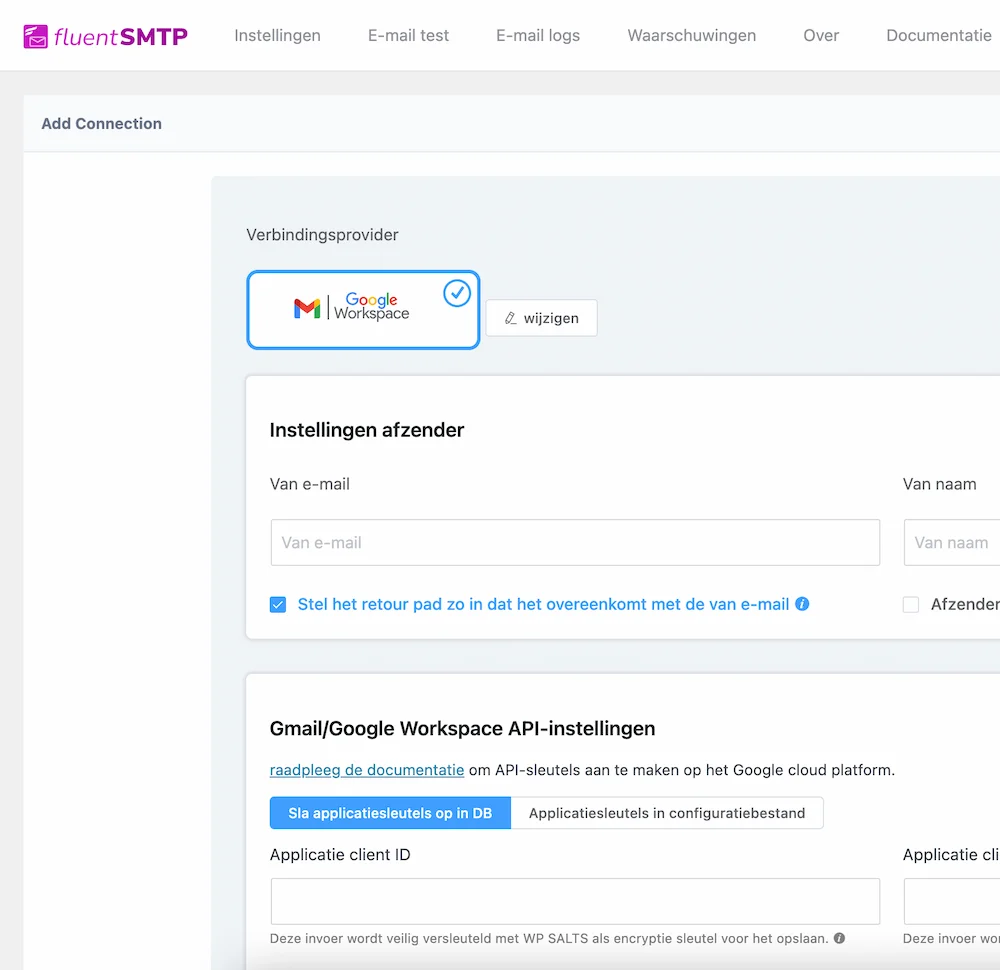
How do we resolve this?
At WP Masters, we ensure as standard that the websites we deliver function properly — and that includes reliable email. That is why we always configure SMTP correctly, usually using the FluentSMTP plugin.
What is FluentSMTP?
FluentSMTP is a free and powerful plugin for WordPress that allows us to easily set up an SMTP connection. This plugin:
- Works with email services such as Gmail, Outlook, Sendinblue, Mailgun and more
- Provides clear error messages if something goes wrong
- Ensures reliable delivery of your emails
We will configure FluentSMTP for you using the correct SMTP details from your email provider. This way, you can be sure that emails from contact forms, webshop notifications and password resets always arrive successfully.
Why is setting up SMTP sometimes a bit trickier?
Modern email providers such as Gmail and Outlook are implementing increasingly strict security measures to prevent spam and phishing. That’s a good thing, but it also means that setting up SMTP doesn’t always work at the touch of a button.
Many of our customers use two-factor authentication (2FA) on their email accounts. As a result, we often need to log in together to:
- Add specific access rights
- Adjust additional security settings
That might sound technical, but we’re happy to take the time to do it. This way, we ensure that everything works securely and properly. All you need to do is look over our shoulder and give your approval — we’ll take care of the rest.

Frequently asked questions about SMTP
1. Can I send emails without SMTP?
It is possible, but not recommended. Without SMTP, there is a high chance that your emails will be marked as spam or will not reach their destination.
2. Do I need a separate email provider?
No, in many cases you can use your existing business email address, for example via Gmail, Outlook or your hosting provider. As long as SMTP is set up correctly, it works perfectly.
3. How much does it cost to have SMTP set up?
That depends on your situation. For our clients, it is often included in the website delivery. We also offer it as a separate service if you already have an existing site.
Are you having problems with emails from your WordPress website?
Have you noticed that emails such as contact form notifications, orders or password resets aren’t arriving? Please feel free to contact us. We’ll check that SMTP is set up correctly and ensure your emails are sent reliably again.
Want to know more or need help? Contact us.
Over de auteur

It's time for the next digital step
We combine creativity with strategy and experience to help brands grow in a digital world full of noise. You provide the vision, we deliver the results.